Velocify LoanEngage 26.1 Major Release: Feature Enhancements
This section discusses the updates and enhancements to existing features, services, or settings that are provided in this release.
SMS
 RCS Implementation
RCS chat menu status icons now display for read messages.
-
Timer or Clock Icon: Your message is still in the process of being sent. The chat window doesn’t visually show this state in real time — by the time the message bubble appears, it has already been sent.
-
Single Check Mark: Your message has successfully been sent from your device
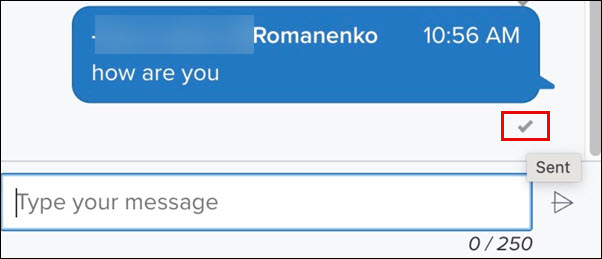
-
Double Check Marks: Your message has been delivered to the recipient’s device
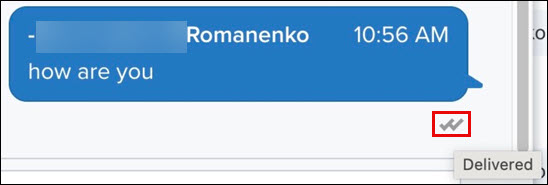
-
Filled (Colored) Double Check Marks: The recipient has read your message
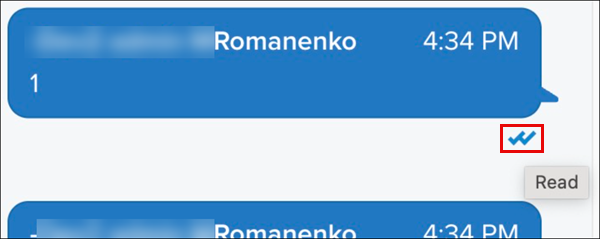
These read‑receipt icons are available in RCS chats only, not in standard SMS or MMS messages. If you send a traditional SMS, these icons will not display.
Dial-IQ
Call Transcription
The following Call Transcription updates are available with this release:
-
Hyperlink: Transcript now hyperlinked in Lead Add/Edit, Lead Call Summary, and Inbound Call Details pages. Click the View link to open a new browser window and view the transcript.
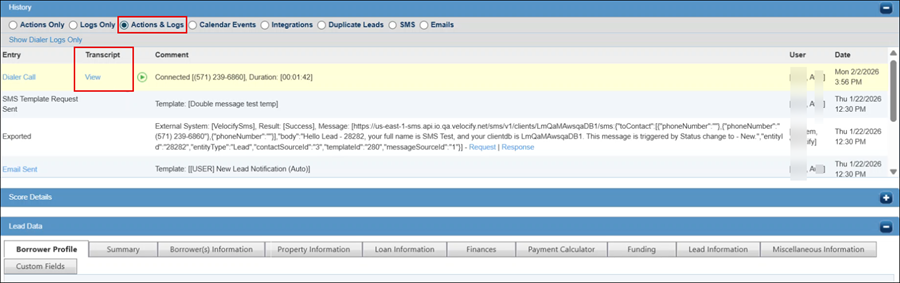
-
New Report: A new Call Recording Transcripts report is available with this release. You can filter by Groups, Users, Sentiments, Time, and search by Lead ID.
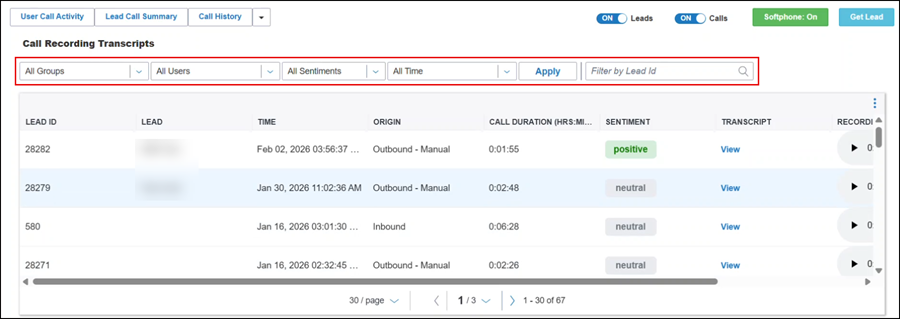
Sentiments is a new filter and captures the essence/feedback of the call. Available values are: Positive, Neutral, Mixed, Negative.
Custom Hold Music
You can now play custom hold music when calls are on hold while waiting for your call distribution program to find an agent.
Additional Information
-
Edit not supported with this release. If you need to update, delete the file, and add a new file.
-
You can upload a maximum of three files
-
Supported formats: MP3, WAV
-
Maximum allowed size is 5.7 MB
Configure Custom Hold Music
-
Log in as a Velocify administrator.
-
Point to the Menu tab, point to Preferences menu, and then click Hold Music.
-
Click the Add New Hold Music button.

-
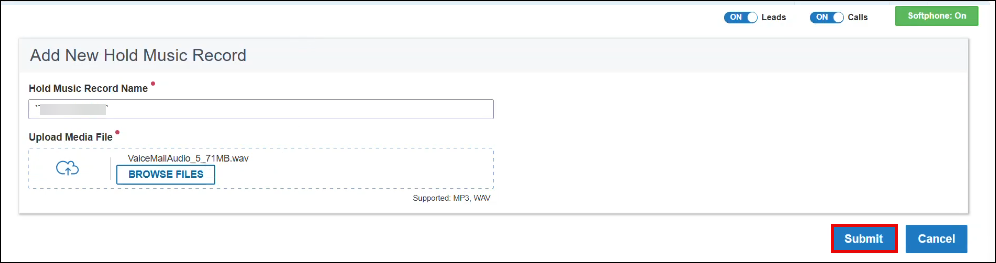
In the Add New Hold Music Record page, enter the name of the music file, upload the media file, and click the Submit button.
The Submit button activates only after the two mandatory fields on the page are populated.
-
You can click the In Use button to select the file you want to use for your hold music.

Fallback Number Report and Data Export CSV
New DIQ Fallback Report available in CSV format, displaying details of missed calls (which calls were missed and who they are from) after an outage or missed calls.
View and Export DIQ Fallback Report
-
Log in as a Velocify administrator.
-
Point to the Menu tab, point to the Reporting menu, and then click DIQ Fallback Report.
-
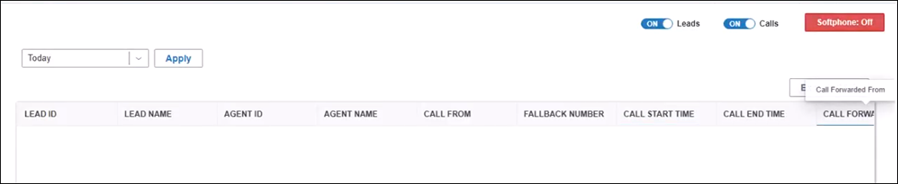
Review the column names/attributes of the report.
-
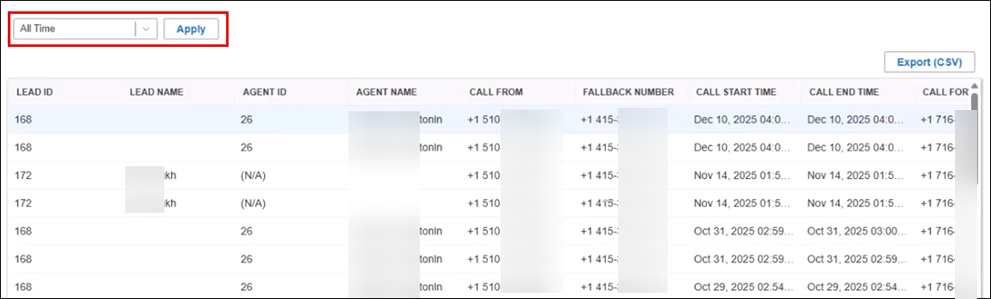
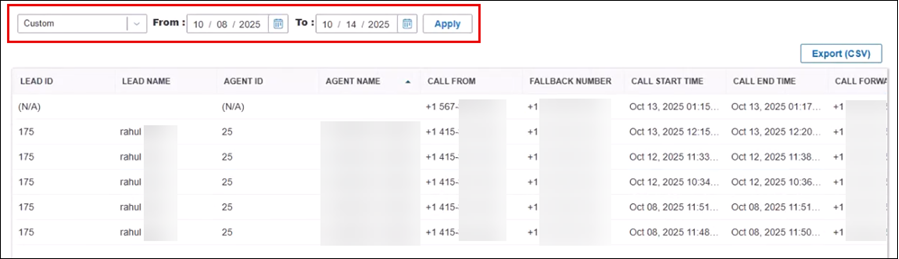
Select your filter from the dropdown field and click the Apply button.
-
Click Custom from the dropdown to select custom dates as your report filter, and then click Apply.
-
-
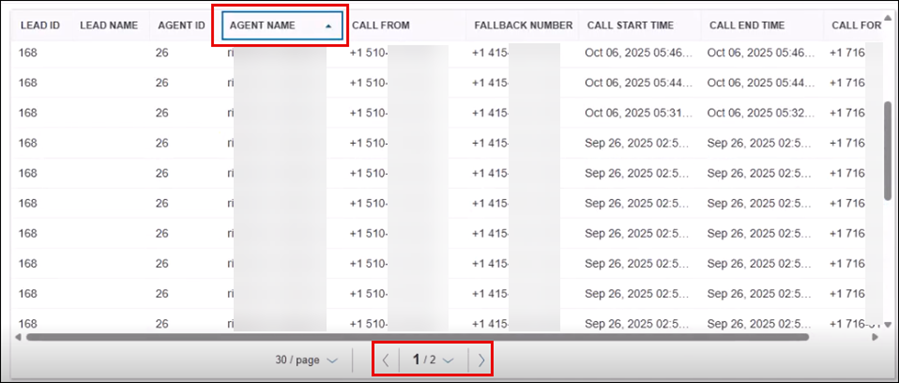
Sorting and Pagination Support:
-
To sort, click a column title until the arrow displays
-
Use the arrows in the bottom of the page to navigate between multiple pages
-
-
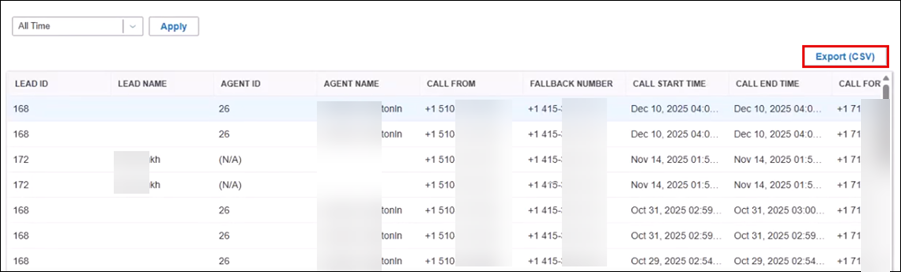
Click the Export (CSV) button to download the report.
| Next Section: Fixed Issues | 
|
|

|
Previous Section: Introduction |