Loan acceptance
If you have the Licensed Collaborator status, you can choose whether to accept a loan in Simplifile that someone created outside of your organization. At first, you have limited access to Simplifile features for these types of loans. The limited features are indicated with a circled Darrow, as shown below.
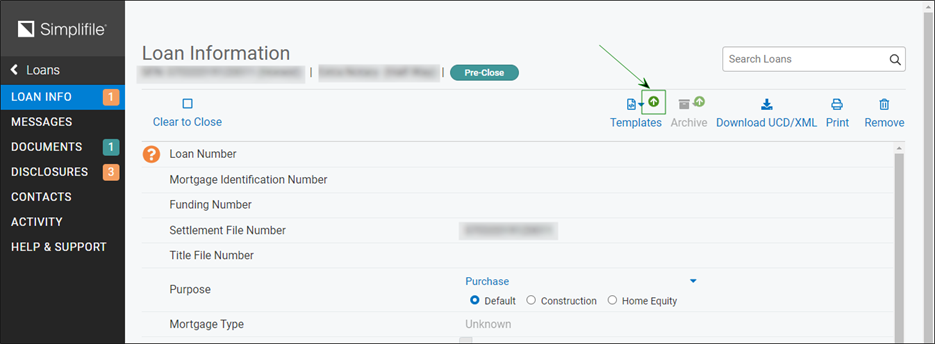
Select a feature that displays a circled up‑arrow ( ) to open a window where you can choose whether to collaborate on that loan with limited Simplifile features or with the full version of Simplifile.
When you select the Accept button on the Upgrade loan to premium version window, you can access all of Simplifile’s collaboration features, including loan action histories (see View or download loan activity histories) and letting a user create document placeholders for a different user.
If you continue with Simplifile’s limited functionality, the loan pages include the circled up‑arrows that identify premium features. You can select any feature that displays a circled up‑arrow at any time to activate all of Simplifile’s features for the loan.