Feature Enhancements in Version 25.4 January Service Pack
This section discusses the updates and enhancements to existing forms, features, services, or settings that are provided in this release.
Updates to ICE PPE
"ICE PPE" refers to the new User experience (introduced as part of the 24.2 release) using the Encompass Partner Connect (EPC) interface.
 Ability to Create Visibility and Disability Conditions Based on User Rights Added to Custom Search Page Under Settings
To support the ability to create visibility and disability conditions based on user rights, a new “[nonLoanValues.userRights] User Rights” field under Non-Loan Fields has been added to the Condition Builder.
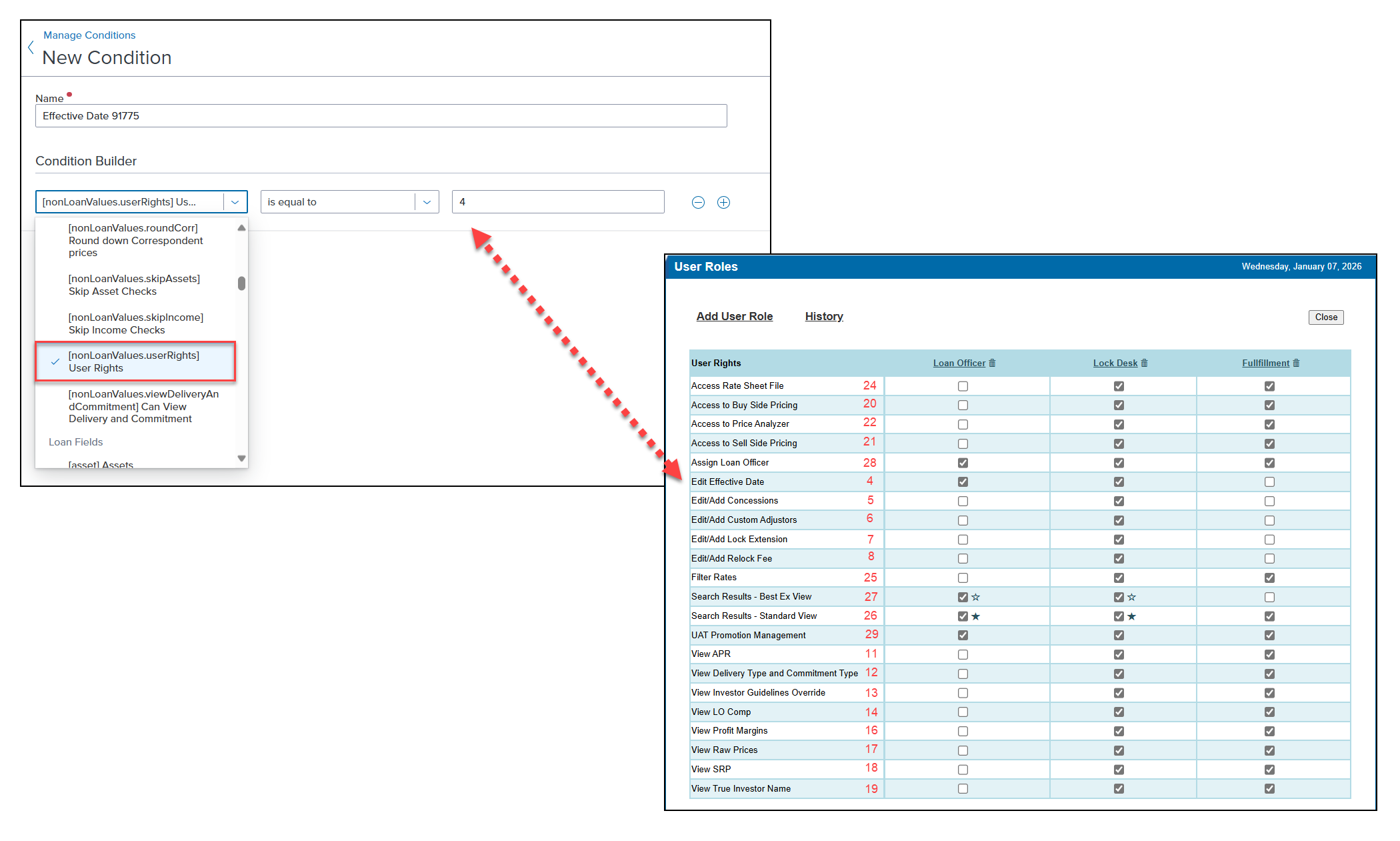
This new field, along with the value assigned to a user right on the User Roles page under Company (see screenshot on the right above), enables you to create a custom condition. This condition can be used in the Visibility or Disability section (under Conditions) of the Custom Search Page for any field in the schema.
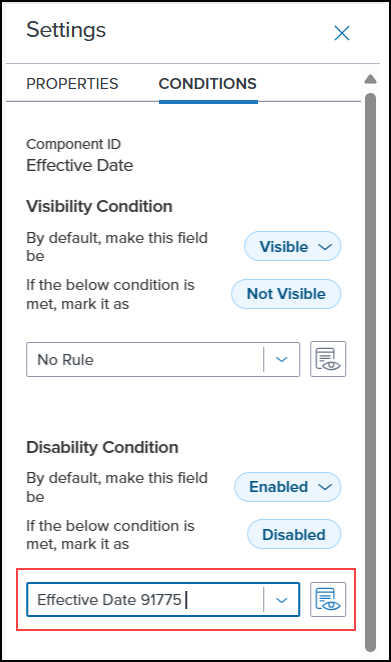
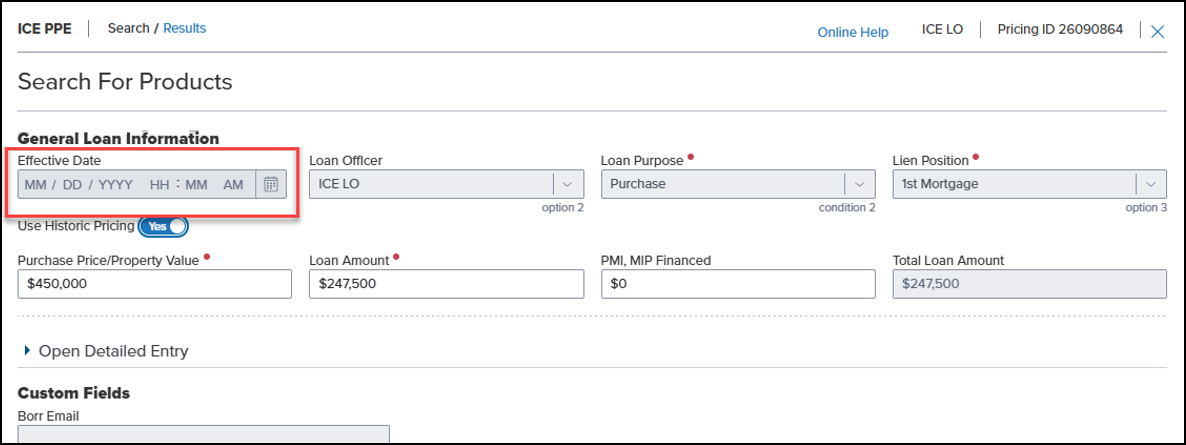
For example, if the Disability condition is met (see screenshot above), the Effective Date field will be disabled on the Search page.
Ability to Create Visibility and Disability Conditions Based on Options Added to Custom Search Page Under Settings
To support the ability to create visibility and disability conditions based on the options listed on the Options page under Settings, new fields (e.g., “[nonLoanValues.flagged] Flagged, [nonLoanValues.icePpeFloat] Float, [nonLoanValues.skipAssets] Skip Asset Checks, etc.) under Non-Loan Fields have been added to the Condition Builder. All options in the Options and Encompass sections are available except for the following:
-
Display Estimated APR (Options)
-
Float Option [Does NOT apply to ICE PPE] (Encompass)
-
Disable non-LOS Lock [Does NOT apply to ICE PPE]
-
Allow Re-price on submitted Loans [Does NOT apply to ICE PPE]
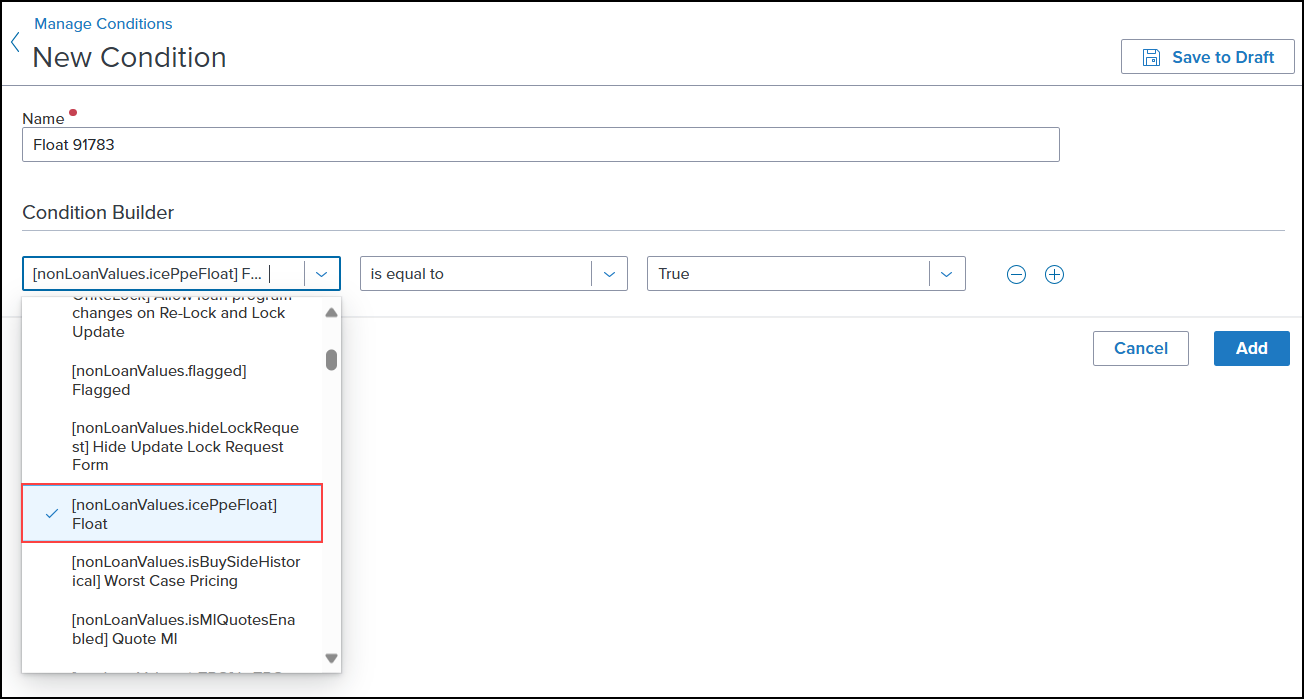
These new field enables you to create a custom condition that can be used in the Visibility or Disability section (under Conditions) of the Custom Search Page for any field in the schema.
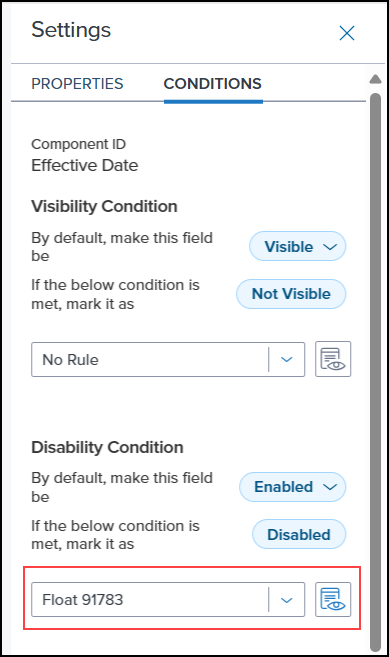
For example, if the Disability condition is met (see screenshot above), the Effective Date field will be disabled on the Search page.
Updated Default “Effective Date” Configuration
The default Effective Date configuration has been updated to include conditions created for user rights and options.
Updates to ICE PPE and Classic EPPS
"Classic EPPS" refers to the User interface for pricing loans, Administration, and the integration that preceded ICE PPE (introduced as part of the 24.2 release).
Modified Behavior of Origination Fees When “Origination Fees” is Selected on Updated Lock Request Fields (Not Supported on Float Feature) Page Under Settings
When the Origination Fees checkbox is selected on the Updated Lock Request Fields (not supported on float feature) page under Settings, and a relock or lock update is requested, the origination fee will be updated as follows:
This update applies regardless of whether the original transaction was an initial lock or a float.
-
A loan can only have one origination fee or credit at a time.
-
If the loan switches from a credit to a fee, the new fee will populate field ID NewHud.X1150 and the existing credit in field ID NewHud.X1143 will become “Null”.
-
If the loan switches from a fee to a credit, the new credit will populate field ID NewHud.X1143 and the existing fee in field ID NewHud.X1150 will become “Null”.
-
If a loan retains its existing credit or fee, the new value will be displayed for that credit or fee.
Ability to Run Investor Rules in Encompass Added to Floated Loans
The ability to run Investor rules in Encompass on floated loans has been added. This change enables the loan information to be updated in Encompass.
On a Float, Encompass field ID VEND.X263 will be updated with the ICE PPE “Lender Name” value. Investor rules can then be written, based on that Investor, to update Encompass information.
| Next Section: Fixed Issues | 
|
|

|
Previous Section: Introduction |