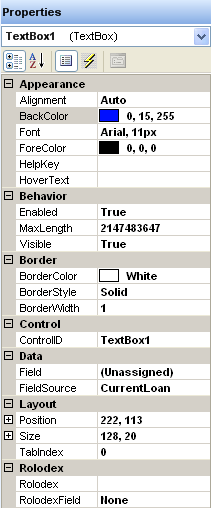
The Properties window is on the right side of the Form Builder window. It defines each control's state, appearance, or value. When you add a control to the workspace, you define its appearance and behavior by setting values in the Properties window. The available properties are based on the selected controls.
The Properties window is also where you assign event handlers to controls. Events are triggered when a user performs an action on a form. For example, the user can click a button to trigger a click event or click a text box to trigger a change event.
By default the properties are arranged by category. You can also view them alphabetically.