Manage Closures page (Administrator Role)
 Overview
Overview
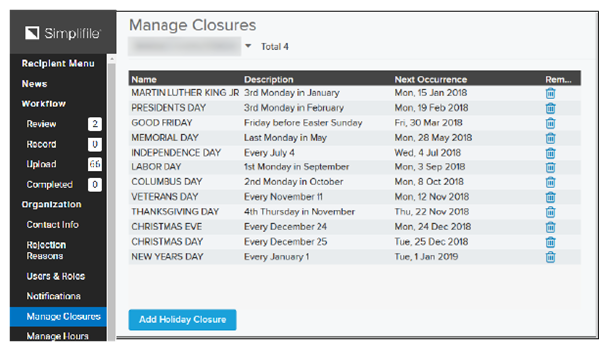
This topic provides information on how to use the Manage Closures page.
You can choose which holidays affect your company’s interaction with submitters. By default, Simplifile manages holiday closure notifications for you by posting notices to tell your submitters when your company closes for a holiday.
On a closed day, your company does not receive any documents from Simplifile. Instead, submitted documents are held and submitted on your next open business day.
I want to ...
I want to ...
Add a holiday to the Manage Closures table
Add a holiday to the Manage Closures table
- Open the Manage Closures page.
- Under the table of holidays, select the Add Holiday Closure button. The Add Holidays window opens.
- Mark the boxes of the holidays you want to add. If necessary, use the Filter field to find the holiday you want.
- Select the Add Selected button.
- Verify that you want to add a closed day.
Remove a holiday from the Manage Closures table
Remove a holiday from the Manage Closures table
- Open the Manage Closures page.
- Select the trash can
 icon in the row of the holiday to be removed. The row is immediately removed.