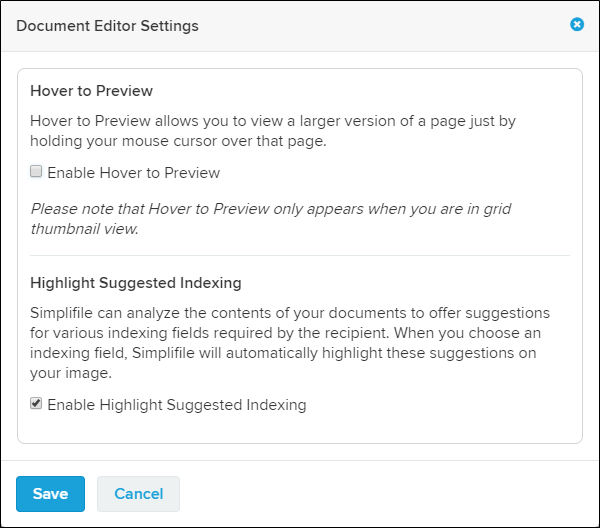
Document Editor Settings window
 I want to ...
I want to ...
Open the Document Editor Settings window
Open the Document Editor Settings window
- Open the Document Editor.
- In the View toolbar, select the settings gear
 button. The Document Editor Settings window opens.
Set the Hover to Preview option
Set the Hover to Preview option
The Hover to Preview options allows you to view a larger version of the page just by holding your mouse cursor over that page. The Hover to Preview option only appears when you are in the grid thumbnail view.
- Open the Document Editor Settings window.
- In the Hover to Preview section:
- Mark the checkbox to enable the feature.
- Clear the checkbox to disable the feature.
- Select the Save
 button.
Set the Highlight Suggested Indexing option
Simplifile can analyze the contents of your documents to offer suggestions for various indexing fields required by the county (or jurisdiction). When you choose an indexing field, Simplifile will automatically highlight these suggestions on your image.
The default setting is enabled (marked).
- Open the Document Editor Settings window.
- In the Highlight Suggested Indexing section:
- Mark the checkbox to enable the feature.
- Clear the checkbox to disable the feature.
- Select the Save button.