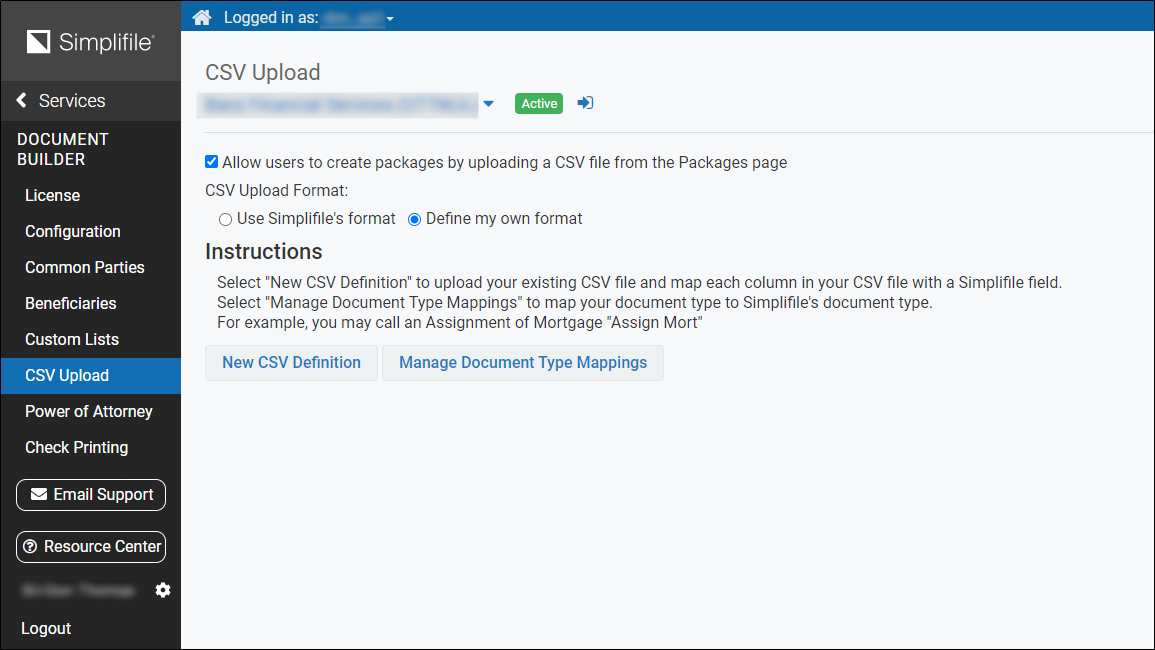
CSV Upload page
 Overview
Overview
We now allow a Signing Admin to upload the CSV file, containing data for each loan that was recently paid off, and map their columns to our data fields. They can also format their CAV file to match our standard data fields. After this one‑time setup, users can upload the CSV file each day as loans are paid off. The data from the CSV file will create packages and documents in the system, eliminating the need to type in the data by hand.
I want to ...
I want to ...
Open the CSV Upload Packages page
Open the CSV Upload Packages page
- In the navigation menu, select the Organizations item. The Organizations page opens in the right panel.
- On the Organizations page, select the name of the organization. The Organization Services page opens in the right panel and the navigation menu changes with Services selected.
- In the navigation menu, select the Doc Builder item. The Document Builder License page opens in the right panel and the navigation menu changes with License highlighted.
- In the navigation menu under the Document Builder item, select the CSV Upload item. The CSV Upload page opens in the right panel.