Loans access
 Overview
Overview
When a lender creates a loan record in Simplifile, the lender chooses a settlement company to handle the loan. The administrators of that settlement company receive notification that a new loan needs attention, and the loan is assigned to a settlement agent. From that point, the agent works with the lender to gather necessary documents and finalize fees as they prepare the loan for funding. After funding, the agent is responsible to get the loan recorded and return the final documents to the lender.
Before you can work with loan packages or submit documents for recording, you need to go to the Simplifile website and log in to your Simplifile account. You need a username and password to do this. When you log in, you can change your password, as needed. If your administrator uses password reset security, you can also add or change your security questions.
Login overview
Login overview
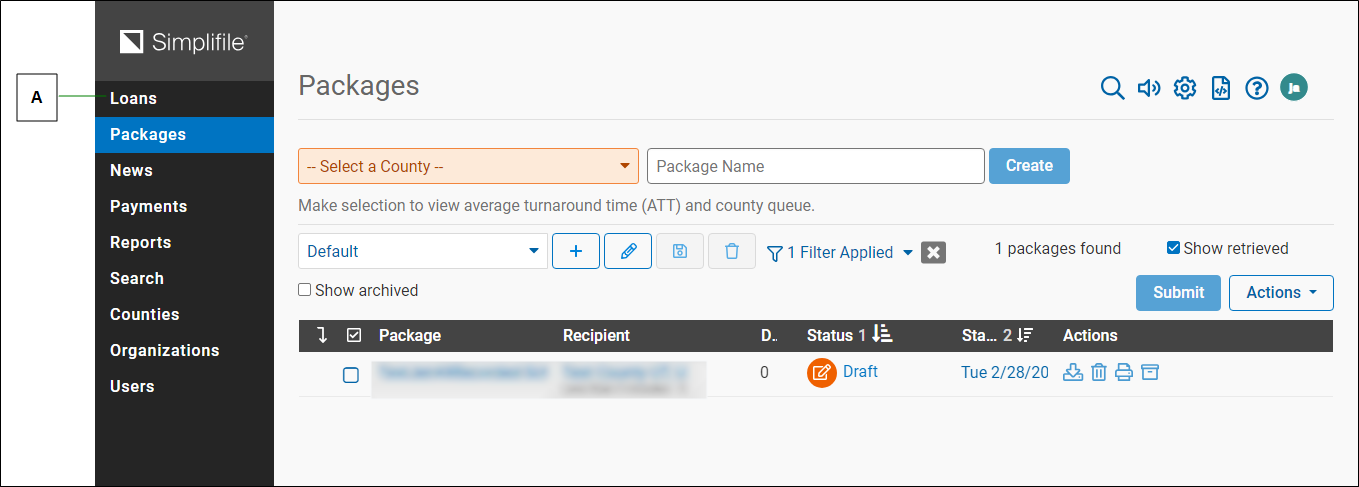
If you have the Simplifile eRecording module, when you first log in to Simplifile the eRecording portion of Simplifile displays. Below is an example.
| Letter | Description |
|---|---|
| A | Select the Loans item to access the loans pages. |
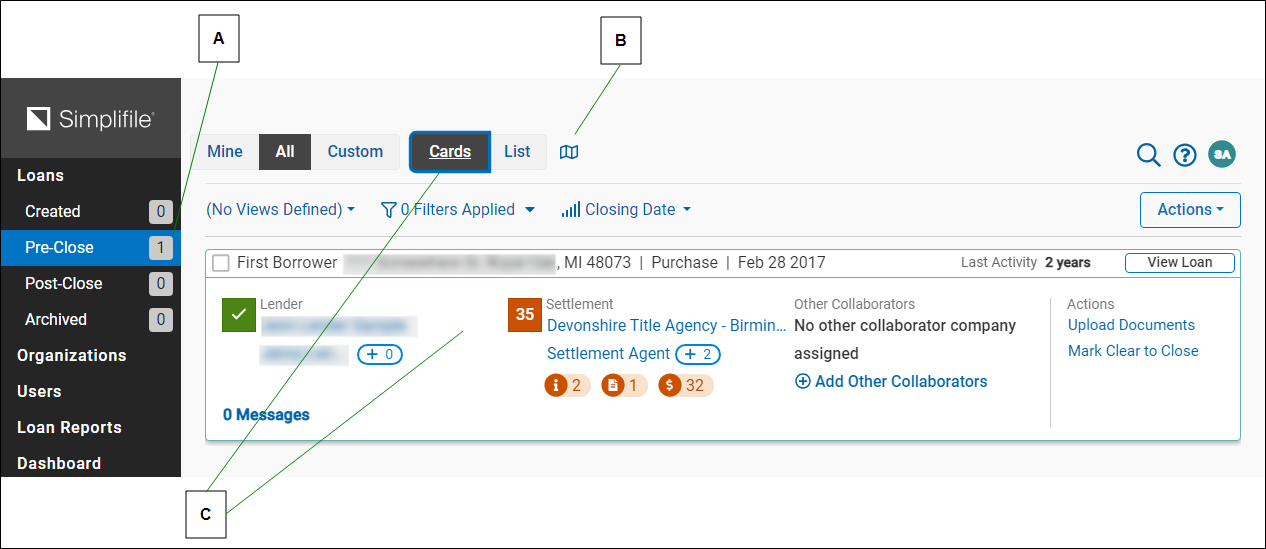
If you do not have the Simplifile eRecording module, the Simplifile Collaboration and Post Close Dashboard page displays. For more information on the dashboard, See Dashboard page. Select one of the loan statuses in the left navigation menu to display loans with that status. Below is an example of the Pre‑Close loan page.
| Letter | Description |
|---|---|
| A | The numbers following each category tell you how many loans with each status are in the system. Select each status to display those loans. |
|
B |
Under certain circumstances (for example, the first time you access a specific page), you may see windows that point out features of the software. If this icon displays, select it to review the windows. |
|
C |
If you view loan cards, the information for each loan displays on an electronic version of an index card. You can also view a list of loans that displays information in rows and columns. |
Use the links on the left to move to the parts of Simplifile where you need to work. For example, to view loans that have been sent to you for collaboration, select the Loans > Post-Close item.
For more information about logging in, see Simpliflie Log In page.
How to access loans
How to access loans
- Using a browser connected to the internet, go to simplifile.com and select the LOG INTO SIMPLIFILE button in the upper right corner.
- When the Log In page displays, enter your username and password.
- Select the LOG IN button.
- If necessary, select the Loans item at the top of the left navigation menu to display the Loans page.
- Use the links on the left menu to navigate to the part of Simplifile you want to use.