Simplifile account set‑up process
Setting up a new agent and a new settlement company
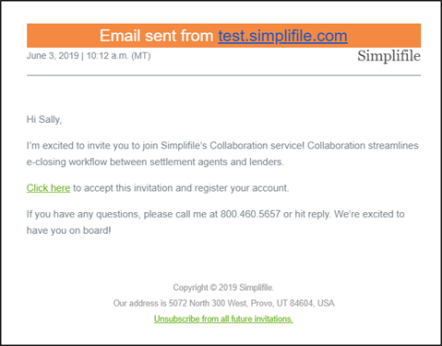
A settlement company and agent are assigned to a Simplifile loan when the lender creates a Simplifile record. If the settlement company is not registered, the agent will immediately receive an email invitation. The simple steps to register for the agent are listed below:
- When the invitation email is received, select the Click here link to register.
- Confirm your information provided by the lender and select the Continue
 button.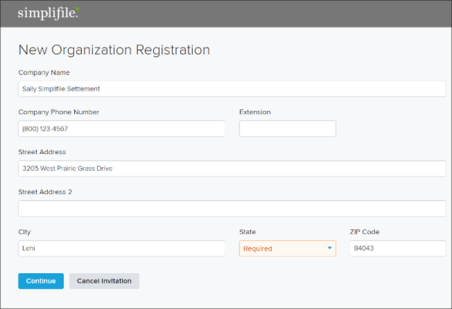
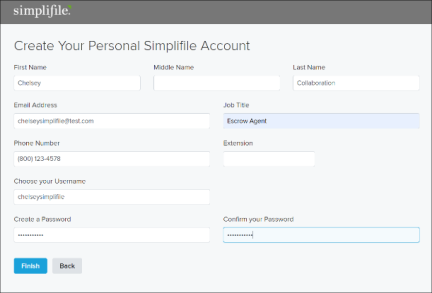
- Complete the Create Your Personal Simplifile Account information and select the Finish button.
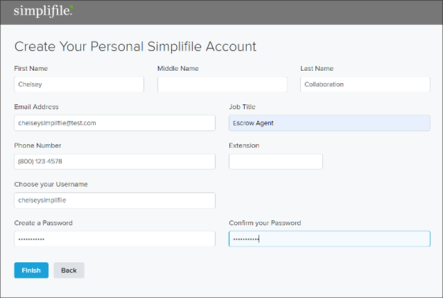
The agent set‑up process in a new settlement company is complete.
To set up an agent in an existing settlement company, see Setting up a new agent in an existing settlement company below.
Setting up a new agent in an existing settlement company
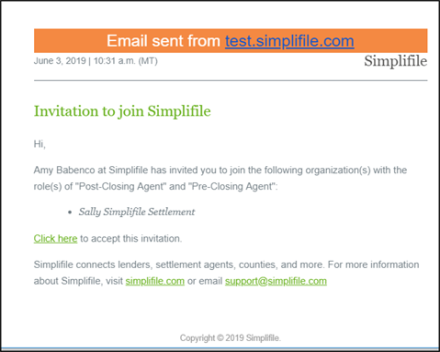
If the settlement company is already set up but you are working with an agent that does not have a Simplifile username and password, the admin will receive an email to approve the new agent. The admin will simply open the link provided and select the Approve  button to add the agent. The invitation will then be delivered to the agent. The simple steps to create a user ID and password are below:
- When the invitation email is received, select the Click here link to register.
- Complete the Create Your Personal Simplifile Account information and select the Finish button.
The agent set‑up process in an existing settlement company is complete.
Agents that would like to create a Simplifile secure userID and password prior to receiving an eClosing loan can do so by contacting Simplifile Support or their branch Simplifile administrator.
To set up an agent in an new settlement company, see Setting up a new agent and a new settlement company above.
Getting help at Simplifile
- Call 800.460.5657 and press option 3
- Email support@simplifile.com
REV‑C