Simplifile release notes for 2019.07.22
for Collaboration and Post Closing settlement agent users
These features released Monday, July 22, 2019.
Collaboration and Post Closing
New feature summary
| Who is affected? | What is it? | Why did it happen? |
|---|---|---|
| Collaboration users | We have stopped sending updates on LendingQB custom fields for lender actions | to improve user experience. |
| Collaboration users | We have incorporated an in‑application survey on usability | to provide feedback. |
| Collaboration users | We have updated email notification links to navigate to the appropriate page | to improve usability. |
| Collaboration users | We have expanded the Messages window to roll the cursor instead of pushing text out of view | to improve usability. |
We have stopped sending updates on LendingQB custom fields for lender actions
To improve user experience, we have stopped sending updates on LendingQB custom fields for lender actions.
The LendingQB integration pushes updates to a lender specified custom field, when configured in Simplifile. It does this when settlement takes an action on docs, fees, adds message, or changes loan info. The purpose is the same as our email notifications, so they can drive work through LendingQB reports and workflow. The problem part is that we are also pushing back an update to this field when the lender does a sync. Because the lender is initiating this action, they don't need the update, the same as we don't send an email notification to the lender for lender changes. Updates are still available with settlement actions.
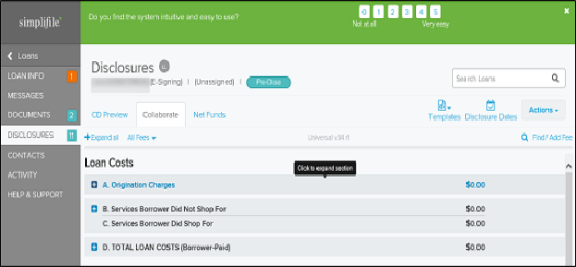
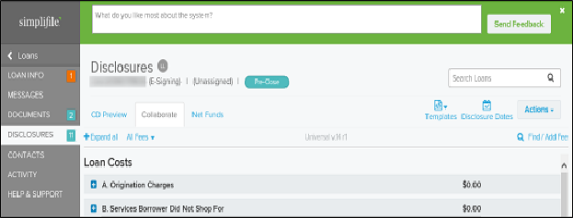
We have incorporated an in‑application survey on usability
To provide feedback, we have incorporated an in‑application survey on usability. This is a short survey that will choose users randomly (no more than 20 users will be selected per day) after they have either uploaded a document or added a fee. After a user has filled out a survey, they will not be presented with the survey again. This feedback will be reviewed regularly.
We have updated email notification links to navigate to the appropriate page
To improve usability, we have updated email notification links to navigate to the appropriate page. The following lists the updated navigation within email notifications:
- Loan info changes ‑ navigate to Loan Information page
- Document changes ‑ navigate to Documents page
- Disclosure changes ‑ navigate to Disclosures page
- Messages ‑ navigate to Messages page
- Contact changes ‑ navigate to Contacts page
- Summary of changes ‑ navigate to Loan Information page
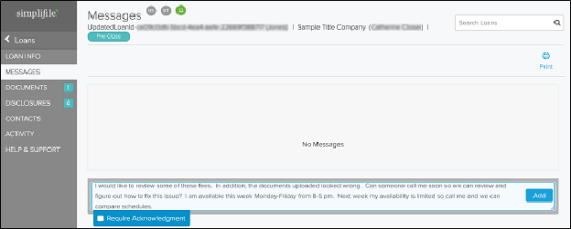
We have expanded the Messages window to roll the cursor instead of pushing text out of view
To improve usability, we have expanded the Messages page to roll the cursor instead of pushing text out of view. When a long message is written, the full text will be in view and as the text lengthens, a scroll bar will be available.