Feature Enhancements in Version 26.2 August Service Pack
This section discusses the updates and enhancements to existing forms, features, services, or settings that are provided in this release.
APR Calculations
ICE PPE has been updated to utilize Encompass’s APR calculation. This capability is currently in limited availability with selected Lenders with plans to introduce to all clients in a future release. Contact your Encompass relationship manager for more information.
ICE PPE
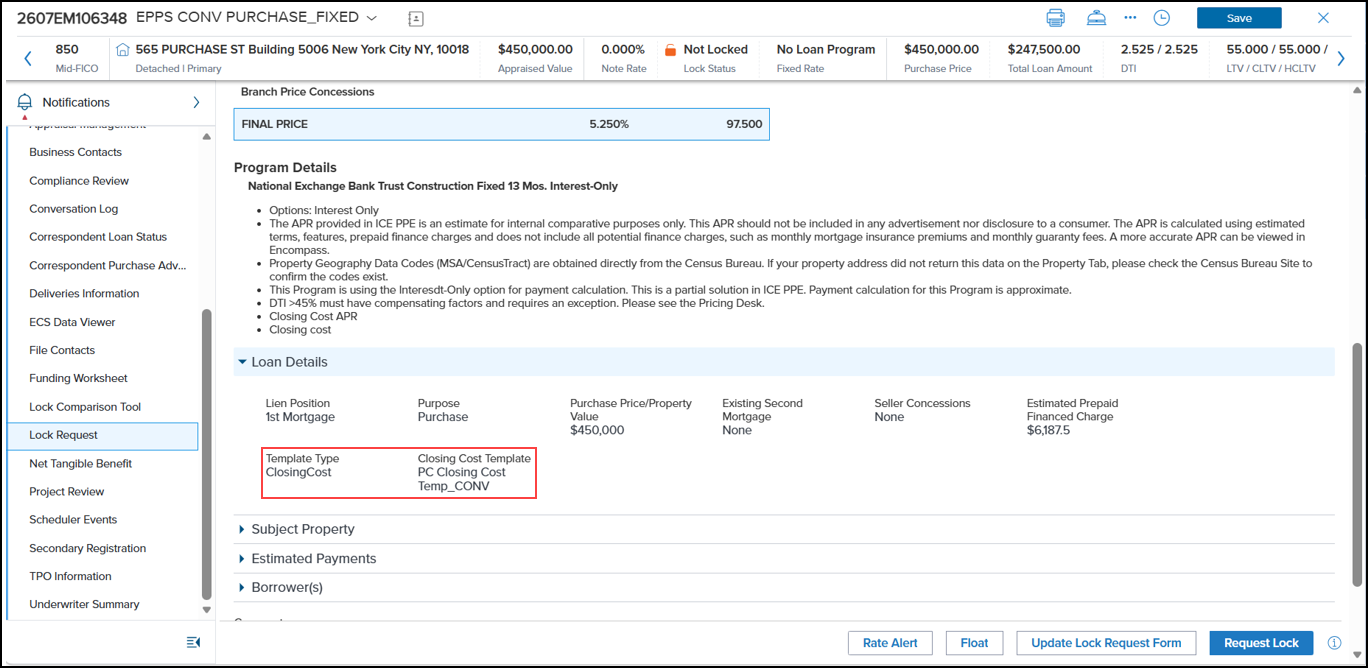
 Estimated Financed Charge Field on Summary Page Renamed to Estimated Prepaid Financed Charge
The Estimated Financed Charge field on the Summary page has been renamed to Estimated Prepaid Financed Charge to align with the APR calculation updates and so users can understand how the field is calculated.

New Template Type and Closing Cost Template Fields Added to Loan Details Section of Summary Page
Two new fields, Template Type and Closing Cost Template, have been added to the Loan Details section of the Summary page. This enables you to quickly and easily determine the APR Fees template used to calculate the APR.
ICE PPE Admin
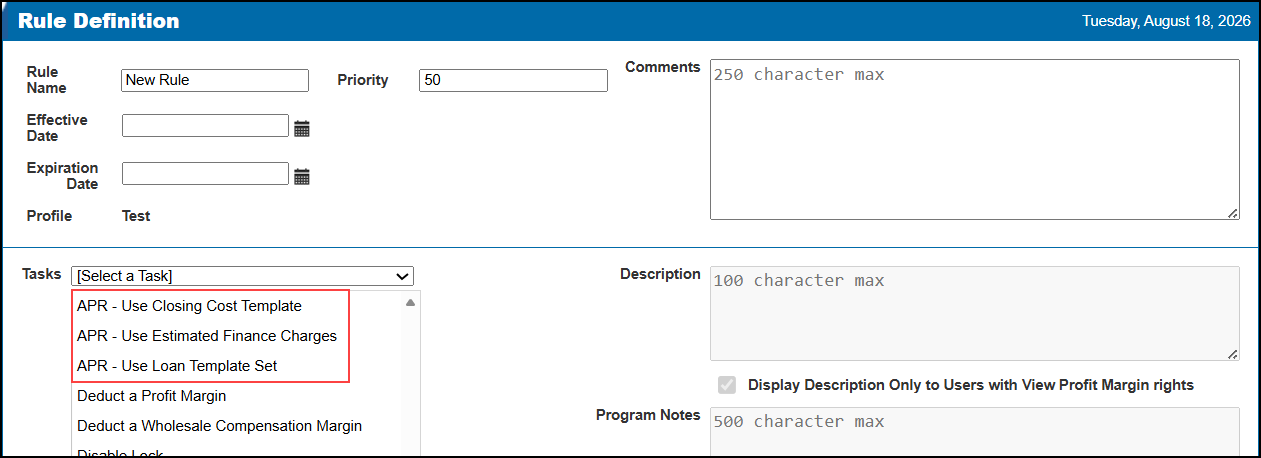
New APR Tasks Added to Rule Manager
Three new APR-related tasks have been added to the Rule Manager. For all three tasks, the Description textbox and the Display Description Only to Users with View Profit Margin rights checkbox will be disabled.
-
APR - Use Closing Cost Template - Determines the Closing Cost Template to be used during Qualification.
-
A Templates button is available under the Task. When the button is selected, the Loan Templates setting page is opened.
-
The Select a Closing Cost Template dropdown lists all the available Closing Cost templates.
-
APR - Use Estimated Finance Charges - Determines whether the Closing Costs from the template or the Closing Costs from the loan record will be used. When true, the Closing Costs from the loan record will be used.
-
APR - Use Loan Template Set - Determines the Loan Template Set to be used during Qualification.
-
A Templates button is available under the Task. When the button is selected, the Loan Templates setting page is opened.
-
The Select a Loan Template Set dropdown lists all the available Loan Template sets.
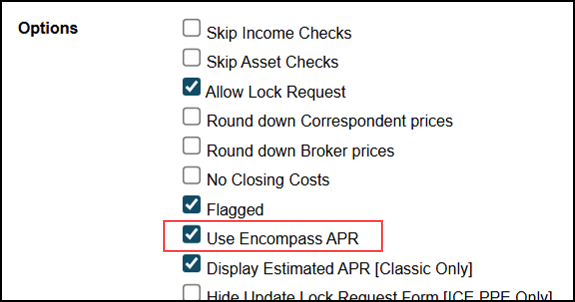
New “Use Encompass APR” Setting Added to Options Page Under Settings
A new Use Encompass APR setting has been added to the Options page. When enabled, the new APR calculations will be used when pricing loans.
New “Manage Templates” Manager Right Added to the Update User Page
A new “Manage Templates” right has been added to the Manager Rights section on the Update User page. By default, this new right will be disabled (not checked).
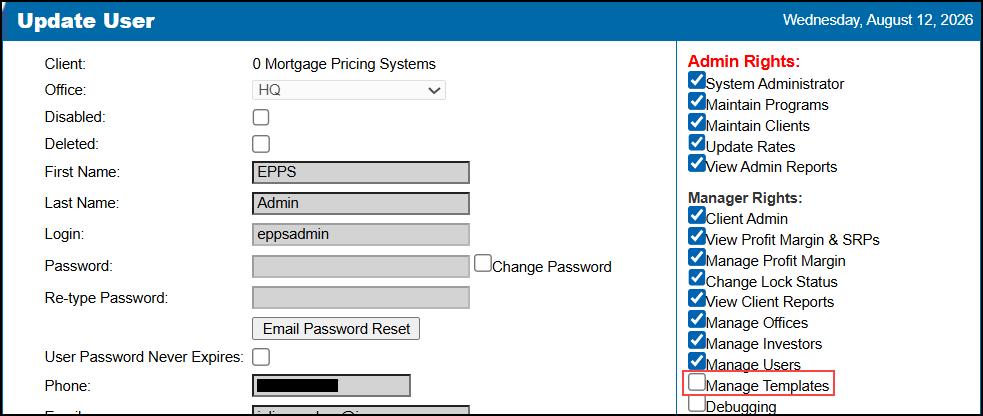
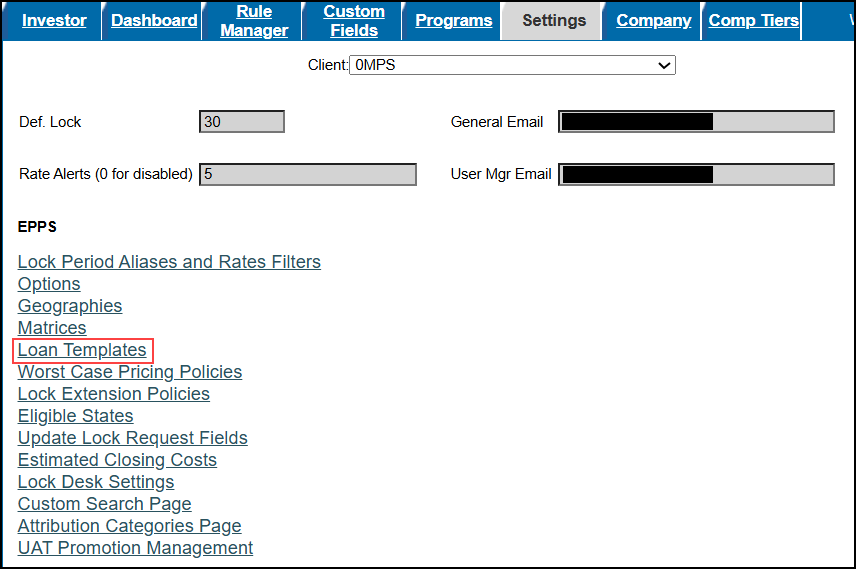
When enabled, a user will be able to access the Loan Templates setting page via the Loan Templates link on the Settings page.
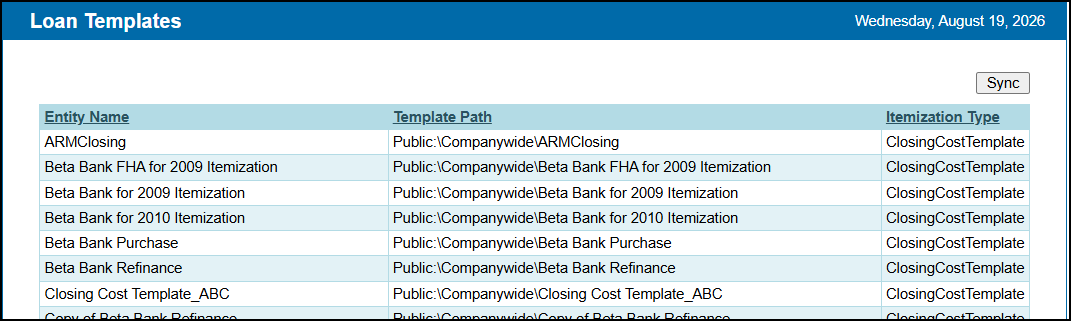
The Loan Templates setting page lists all templates for the current Client.
-
Select the Sync button to refresh the page.
ICE PPE
New Fields Added to Summary Tab
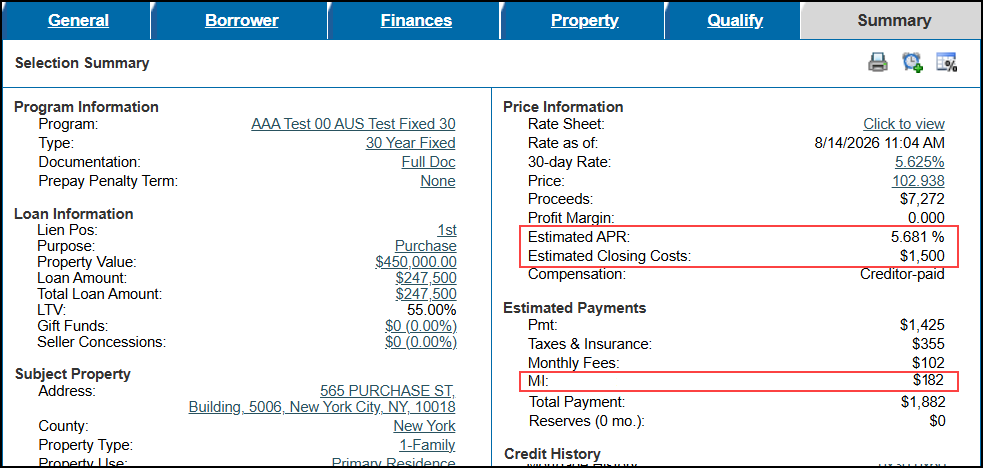
Three new fields, Estimated APR, Estimated Closing Cost, and MI, have been added to the Summary Tab.
ICE PPE and Classic EPPS
0% Payment Option Field Added to ICE Mortgage Technology Partner Network, Manifest, and Response Contract
The 0% Payment Option (field ID 4746) field has been added to the ICE Mortgage Technology Partner Network Out, the manifest, and the response contract to ensure certain FHA loans with 2nd mortgage programs that are Non-Amortizing 0% interest rate and $0 payment (deferred) are accurately priced.
In addition, if TechOps has enabled the No Payment checkbox on a Program Definition, a payment will not be calculated for that loan program.
-
If the loan program is a Balloon, "No Payment with Balloon" will be returned to field 4746.
-
If the loan program is not a Balloon, "No Payment - Fully Forgiven" will be returned to field 4746.
| Next Section: Fixed Issues | 
|
|

|
Previous Section: Introduction |